




Answering the Big Question Fast: Is Your Smart Home Spying on You?
That nagging feeling when your thermostat seems to know you’re about to wake up, or when your lights dim at exactly the moment you usually settle in for the evening—it’s not paranoia. Your smart home is absolutely watching.
Most smart home devices and platforms, including Alexa, Google Home, Apple HomeKit, and even open-source options like Home Assistant, do collect data about your daily routines and behavior patterns. Whether this qualifies as “spying” depends on three critical factors: where your data is processed (in the cloud or locally on your own hardware), who can access it (the big players in consumer tech, device manufacturers, or even law enforcement), and how much control you actually have over what gets recorded and retained.
These concerns aren’t hypothetical. In 2019, reports surfaced that Amazon employed thousands of contractors to listen to Alexa voice recordings, many captured accidentally without wake words. Around the same time, Ring’s partnerships with law enforcement agencies came under scrutiny, with the company allowing police to request footage from users’ cameras—sometimes without a warrant. By 2023, Google Home had introduced more granular privacy controls, but only after years of pressure from users who realized just how much their smart speakers were capturing in the background.
This article will walk you through what ambient AI actually means, how your smart home learns your routines through multiple devices, the concrete risks of routine tracking, and specific steps you can take to regain control over your data without abandoning the convenience that brought you to smart home technology in the first place.
What Is Ambient AI in a Smart Home, Really?
Ambient intelligence refers to the layer of artificial intelligence that quietly observes patterns across your lights, smart thermostats, locks, cameras, smart speakers, and sensors, then acts without you issuing explicit voice commands. Unlike a simple timer that turns your porch light on at 7 PM every day, ambient AI watches when you typically arrive home, notices when that changes on weekends, and adjusts accordingly.
This differs meaningfully from basic automations, which are just schedules you set manually. It’s also distinct from classic internet of things setups that simply connect devices to an app without any intelligence, and from purely reactive voice assistants that only respond when you speak to them. Ambient computing goes further: it anticipates. It learns. It acts in the background before you ask.
Consider these everyday scenarios where ambient AI is already working in many smart home systems:
- Your living room lights begin adjusting ten minutes before sunset in January, not because you set a timer, but because the system learned you prefer that lighting at dusk based on months of usage.
- Your thermostat starts pre-heating at 6:30 AM on weekdays because it detected your wake-up pattern differs from weekends.
- Your security system arms itself automatically when it detects no movement inside and all household phones have left the home network.
The technology enabling this includes motion sensors, door and window sensors, smart plugs that detect appliance usage, and increasingly sophisticated methods like Wi-Fi sensing, mmWave radar, and occupancy detection. Some processing happens on-device through local machine learning, while other intelligent systems rely on cloud models that analyze your data on remote servers.
How Your Smart Home Learns Your Routines
Your connected devices don’t just respond to commands—they build a detailed timeline of your life, one data point at a time. Over weeks and months, this creates a surprisingly complete picture of how you live.
Smart thermostats like Nest and Ecobee have been logging temperature changes and presence data since the mid-2010s. Every time you adjust the temperature, leave home, or return, that event gets recorded. Smart lights from brands like Hue, Lifx, and Nanoleaf track exactly when you turn them on and off, which room you use most in the evening, and how your lighting preferences shift across seasons. Smart locks and garage door openers record every open and close event, often including which user code was entered. Even robot vacuums map your floor plan and identify high-traffic areas based on how much debris they collect in different zones.
This data collection operates on three levels:
- Event-based logging: Your front door was unlocked at 07:12 using code #3.
- Pattern recognition: You typically leave for work between 8:00 and 8:15 on weekdays.
- Prediction: The system pre-activates your “away” mode five minutes before your usual departure.
Here’s what a typical morning routine looks like through your smart home’s eyes: At 06:45, your bedroom lights activate at 20% brightness, as they have five days a week for the past month. At 07:05, the kitchen motion sensor detects activity, and your coffee machine’s smart plug switches on. At 08:10, your front door unlocks, your geo-fence detects your phone leaving, and the house automatically shifts to “away” mode—adjusting climate control, arming security systems, and turning off unnecessary appliances.
After a few weeks to months of this logging, platforms like Alexa Routines, Google Home, and HomeKit begin surfacing “suggested routines” based on observed behavior patterns. Your smart home system is essentially saying: “I noticed you do this every day. Want me to automate it?”
From Devices to Ambient Sensing: How They Watch Without Cameras
Routine tracking has evolved far beyond cameras and microphones. Newer ambient sensing technologies can detect your presence, movement patterns, and activities without recording a single image or word.
Wi-Fi Channel State Information (CSI) analyzes how Wi-Fi signals bounce around your home. When you walk through a room, you disturb those signals in predictable ways. Systems from companies like Plume and Origin Wireless can detect whether someone is home, moving, or even breathing—all by watching signal fluctuations.
mmWave and UWB radar uses millimeter-wave frequencies to detect micro-movements. The 60 GHz mmWave sensors inside the 2023-2025 Nest Hub can sense if you’re in the room, whether you’re sitting or standing, and even monitor breathing patterns. Similar radar appears in some smart thermostats for occupancy detection without cameras.
Ultrasound presence detection in some smart speakers and thermostats sends inaudible sound waves through the environment and listens for reflections. This enables detection of whether you’re present without any visible sensor.
Power-usage signatures from smart plugs reveal which appliances you use and when. Your morning coffee routine, evening TV watching, and late-night refrigerator raids all create distinctive power patterns.
What can these systems infer about you?
- Whether you’re in a room, sitting still, or actively moving
- Approximate number of people present in the house
- When the last movement stopped at night (your bedtime)
- When people leave each morning (your commute schedule)
- General activity types like cooking, exercising, or sleeping
These methods operate without identifiable images or recorded audio, yet they reconstruct a detailed model of your life. The house knows when you wake, when you sleep, when you work from home, and when you leave—all through invisible signals.
Is This Spying? Where Your Routine Data Actually Goes
Understanding where your data travels is essential to evaluating whether your smart home is spying on you. There are three primary data paths:
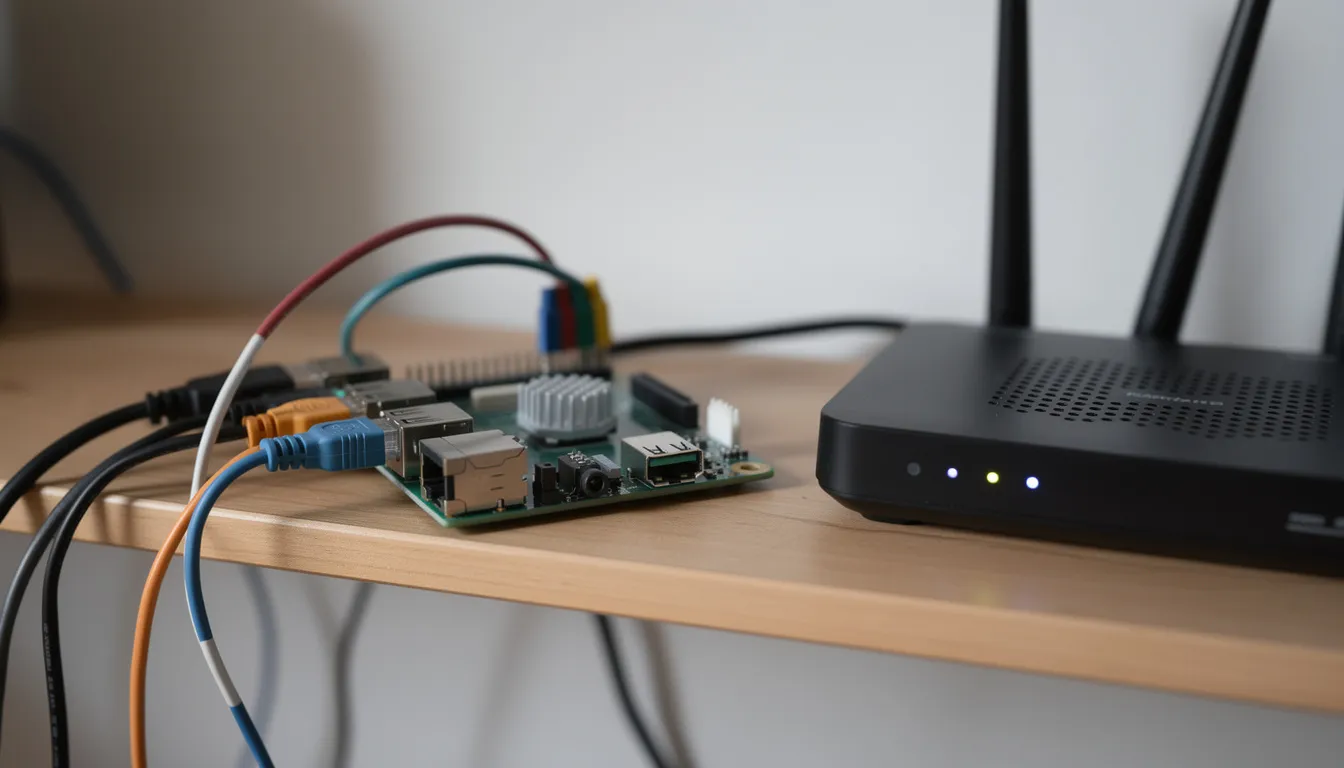
Local-only systems keep everything on hardware inside your house. A self-hosted Home Assistant instance running on a Raspberry Pi or Intel NUC stores device states, automation rules, and logs on your local network. Nothing leaves your home unless you explicitly configure it to.
Cloud-assisted platforms send routine data to remote servers. Amazon Alexa, Google Home, and Samsung SmartThings cloud services process your data externally, enabling features like voice recognition, smart suggestions, and remote access—but also creating detailed records of your behavior on company servers.
Hybrid approaches use local hubs with optional cloud connectivity. Platforms like Homey Pro, Hubitat, and Home Assistant with Nabu Casa’s optional cloud relay offer local processing by default with remote access available when you choose it.
What typical routine data can leave your home?
- Timestamps of device activity (when lights turned on, locks operated, thermostat adjusted)
- Inferred presence and absence status based on motion sensors and geo-fencing
- Video clips and event logs from cameras and doorbells with cloud storage
- Audio clips triggered by wake words (or sometimes by false activations)
Real-world examples demonstrate these aren’t abstract concerns. Ring’s cooperation with law enforcement in the late 2010s and early 2020s allowed police departments to request camera footage from users. Reports from 2019-2020 revealed that Amazon, Google, and Apple all employed contractors to review voice recordings for quality improvement—recordings that sometimes captured private conversations accidentally triggered without proper wake words.
Even when providers claim anonymization and aggregation, pattern-level insights often remain. The aggregate data might reveal how many times per evening your living room TV turns on, when you typically go to bed, and how your behavior shifts on holidays.
Ambient AI vs Classic Smart Home Automations
Simple automations follow rigid rules you define: turn on the porch light at 19:00, or activate the sprinklers every Tuesday at 6 AM. Ambient intelligence goes further by learning, adapting, and coordinating across your entire environment.
Feature | Classic Automation | Ambient AI |
|---|---|---|
Trigger | Fixed time or manual event | Learned patterns and predictions |
Adaptation | None without manual changes | Adjusts to seasons, holidays, schedule changes |
Scope | Single device actions | Coordinates multiple devices for goals |
Data needs | Minimal | Extensive historical behavior logs |
Real ecosystem examples show this distinction clearly. Alexa’s “Hunches” feature proposes new automations based on what it observes—“I noticed you usually turn off the living room lights around 11 PM. Want me to do that automatically?” Google Home and Nest devices suggest turning off forgotten lights or adjusting thermostat settings based on detected absence. Home Assistant’s statistics and history panels let power users build custom predictive automations using weeks of logged sensor data.
Ambient AI typically requires historical logs spanning weeks or months, machine learning (often cloud-based) to identify patterns, and feedback loops where you accept or reject suggested routines. This creates a bit more flexibility than manual rules, but it also means your behavior patterns are being continuously monitored and analyzed.
The first time users see a routine suggestion that mirrors their exact 22:30 bedtime pattern, it can feel unsettling. Even when this monitoring is technically opt-in, the creepiness factor is real—your house is telling you things about yourself you never explicitly shared.
Real Risks: How Routine Tracking Can Go Wrong
The risks of routine tracking extend beyond vague privacy concerns into tangible, concrete scenarios that have already affected real users.
Burglary targeting: Cloud-stored routine data or app notifications can reveal when a home is typically empty. Your morning commute window becomes a vulnerability if that information is exposed through a data breach or compromised account.
Sensitive habit exposure: Routine data can reveal sleep issues, medication timing, religious observances, and health conditions. If this data is leaked or subpoenaed in legal proceedings, deeply personal aspects of your life become exposed.
Domestic abuse risks: In households with abusive partners, smart home logs become surveillance tools. An abuser can review motion sensor data, door lock logs, and presence detection to track a victim’s movements throughout the day.
Profiling and advertising: Inferred routines feed advertising algorithms. When nursery motion patterns change or baby-related appliances appear on smart plugs, shopping ads for infant products may follow suspiciously quickly.
Account compromise: Widely reported smart camera hacks in the late 2010s exposed live feeds and event logs. A compromised account gives attackers a complete view into your movement patterns and daily schedule.
Legal data requests: Thermostat data has been requested in legal disputes to prove occupancy or absence. Your smart home can become a witness against you in custody battles, insurance claims, or criminal investigations.
Policy changes: Companies can modify data practices over time. Features you accepted at purchase may expand in ways you didn’t anticipate, and data collected under one policy might be used under new terms years later.
The compounding effect matters most: lights plus locks plus Wi-Fi presence plus thermostat data together create a near-complete life log that no single sensor could provide alone.
Where Ambient Intelligence Helps, Not Hurts
Before abandoning smart home technology entirely, it’s worth acknowledging the genuine benefits that ambient AI enables—benefits that specifically require routine awareness to function.
Elder-care monitoring uses radar and Wi-Fi sensing to detect unusual inactivity or falls without invasive cameras. A senior living alone can maintain dignity while family members receive alerts if normal movement patterns change dramatically.
Energy savings accumulate over months as smart thermostats and smart plugs learn occupancy patterns. Systems can reduce heating and cooling when you’re away, optimize appliance usage, and suggest efficiency improvements based on actual behavior rather than guesses.
Improved comfort comes from pre-heating before your arrival, adaptive climate control that learns your temperature preferences across seasons, and circadian lighting that adjusts color temperature throughout the day based on your sleep schedule.
Reduced false alarms in security systems happen when the system learns familiar patterns. The reference research notes that companies using ambient AI for security achieve over 95% reduction in false alarms by recognizing normal household activity versus genuine threats.
These benefits have concrete implementations. Smart thermostats from Nest and Ecobee have offered “auto-away” and learning modes since the mid-2010s. mmWave occupancy-based lighting and HVAC control became popular in higher-end systems between 2022 and 2025. Fall detection pilots using Wi-Fi channel state information and UWB operate in assisted living facilities and research homes.
The critical point: many of these benefits can be achieved with local or privacy-preserving designs—on-device machine learning, local hubs, and encrypted storage. You don’t have to sacrifice everything to your cloud provider to enjoy a smart home that makes life easier.
Local-First Smart Homes: Ambient AI Without the Cloud
A local-first smart home keeps your routine data inside your house, under your control. Several mature platforms make this achievable for users with moderate technical comfort.
Home Assistant runs on a Raspberry Pi 4, Intel NUC, or dedicated hardware like Home Assistant Green or Yellow. It’s open-source, highly customizable, and integrates with thousands of devices through local protocols.
Hubitat Elevation offers a commercial local hub that requires no cloud connection for core functionality. It supports Z-Wave, Zigbee, and many smart devices natively.
Zigbee and Z-Wave coordinators work with Thread border routers to create mesh networks of sensors and devices that communicate locally, following modern connectivity standards alliance protocols without requiring internet access.
What “local” actually means in practice:
- Device states, automations, and historical logs stored on hardware you own
- Remote access gated through your own VPN or privacy-focused relay services you opt into
- No continuous streaming of routine data to Amazon, Google, or other large providers by default
The trade-offs are real. You gain control but lose the automatic “smart suggestions” that cloud AI provides. Setup complexity increases—you’ll handle networking, backups, and updates yourself. Integration with cloud voice assistants like Alexa or Google Assistant becomes optional and limited.
A concrete local setup might include Home Assistant as the automation brain, a Zigbee coordinator (like ZZH or SkyConnect) for sensors and bulbs, and a local NVR for security cameras instead of subscription-based cloud storage like Ring Protect. This configuration keeps your routines entirely inside your house while still enabling sophisticated ambient intelligence.
Cloud-Centered Smart Homes: How Big Platforms See Your Routines
Most mainstream smart home systems rely heavily on cloud infrastructure. Understanding what each platform typically stores helps you make informed decisions.
Amazon Alexa + Echo devices store voice recordings (with adjustable retention), automation rules, device event logs, and routines tied to your Amazon account. Skill usage and third-party integrations may share additional data.
Google Home and Nest maintain activity history, voice interactions, device states, and home/away status. Nest thermostats store years of temperature and occupancy data. Google’s advertising business creates additional questions about how behavioral data might inform profiles.
Samsung SmartThings cloud stores automation rules, device events, and hub configurations. Their ambient sensing features analyze motion and sound to recognize activities like cooking or sleeping.
Apple HomeKit with iCloud takes a relatively stronger privacy stance, with more on-device processing and end-to-end encryption for many features. However, iCloud sync still creates some cloud dependence, and Siri requests involve server processing.
Key privacy developments over recent years include post-2019 options to delete voice history automatically and limit retention across major platforms. Apple has emphasized on-device processing for HomePod and iPhone-based automations. The Matter standard (launched around 2022) enables some local control while often still using cloud accounts for initial setup.
Even when audio clips are periodically deleted, derived behavioral profiles may persist. The aggregate insights about when you typically wake, how often you adjust temperature, and which rooms you use most can remain useful for feature improvement or recommendation systems long after raw recordings disappear.
What Data Your Smart Home Likely Has on You Right Now
Taking a few minutes to review your existing smart home logs can be eye-opening. You’ll see yourself through your devices’ perspective.
Voice assistant activity logs (in Alexa, Google Home, and Siri/Apple ID settings) show every command, query, and accidental activation. Timestamps reveal when you’re typically interacting with voice commands.
Smart lock apps (August, Yale, Schlage, and similar) maintain history of every lock and unlock event, often including which user code was entered. This shows exactly when people enter and leave through the front door.
Camera and doorbell apps (Ring, Nest, Arlo, Eufy) store timeline views of motion events and recordings. Patterns of delivery times, visitor frequency, and arrival schedules become obvious.
Thermostat and smart plug apps show energy usage charts and temperature adjustment history. Your wake-up time, work-from-home days, and evening routines appear clearly in the data.
What these logs reveal about your routines:
- Regular wake and sleep windows based on lighting and motion patterns
- Work and travel patterns from presence detection and lock events
- Weekly errands like evening garage openings on specific days
- Holiday absences when all activity drops for several days
- Guests and visitors from unusual patterns in lock codes or motion events
Notice which logs are stored indefinitely, which are limited to recent days or weeks, and which can be exported or shared outside the app. This affects both your privacy exposure and your ability to understand what data exists about you.
How to Take Back Control: Practical Privacy Steps
Improving your smart home privacy doesn’t require abandoning technology entirely. These concrete actions focus specifically on limiting routine data exposure.
Easy App Settings
- Disable “activity history” or “voice recording history” in Alexa, Google Home, and Siri/Apple ID settings
- Shorten retention windows to auto-delete after 3 months (or 18 months where that’s the minimum) if available
- Turn off “personalization” or “hunches” features that rely on long-term continuous monitoring
- Review and delete old routines and scenes that no longer match your current habits
- Disable location sharing for apps that don’t genuinely need it
Infrastructure Changes
- Move sensitive devices (locks, cameras, occupancy sensors) to a local hub like Home Assistant or Hubitat
- Switch from cloud camera storage to local NVRs or on-device SD cards where feasible
- Segment your home network with a dedicated IoT VLAN and strong, unique passwords
- Use a Pi-hole or similar DNS filtering to block unnecessary data transmission
- Enable two-factor authentication on all smart home accounts
Behavior Adjustments
- Avoid placing always-listening smart speakers in bedrooms or private workspaces
- Use manual modes for highly sensitive routines (medication cabinets, safes, private areas)
- Periodically audit which devices have network access and which can be disconnected
- Consider “dumb” alternatives for the most sensitive locations in your house
- Review privacy settings quarterly as platform defaults frequently change
Setting Boundaries: What to Share With Ambient AI—and What to Keep Offline
Not every room and routine needs to be automated. Consciously deciding where ambient intelligence belongs—and where it doesn’t—lets you keep the convenience you want while protecting areas that matter most.
Rooms where smart automation typically poses fewer concerns:
- Living room comfort, lighting, and climate control
- Hallway motion detection and entry lighting
- Kitchen appliances and entertainment systems
- Garage and outdoor areas where security sensors add genuine value
Rooms and routines where many users prefer to keep devices offline:
- Bedrooms (especially with cameras or always-listening speakers)
- Bathrooms and private wellness spaces
- Home offices where confidential work happens
- Children’s rooms where data collection feels especially invasive
Data types that are “safe enough” for many users include aggregate motion for energy savings, non-identifiable occupancy estimates, and time-based automation triggers. Data types that cross comfort lines for some users include bedroom camera feeds, detailed voice logs, precise long-term location histories, and health-related inferences from sleep or activity monitoring.
Ambient AI doesn’t need complete visibility to be useful. Partial coverage can deliver 80% of the convenience with far less exposure. Your hallway motion sensor can trigger smart lighting without your bedroom being monitored.
Revisit your privacy and sharing settings annually. Platform defaults and business models shift over time, and features rolled out in 2023-2025 may collect data in ways that didn’t exist when you first set up your system.
The Future: Smarter Homes That Respect Your Routines
The central tension remains: ambient intelligence needs to observe patterns to be genuinely helpful, but unchecked data collection transforms homes into detailed surveillance systems. The technology itself isn’t the problem—the choices we make about deployment, storage, and access determine whether we’re building helpful environments or creating permanent records of our lives.
Promising trends are emerging. More on-device AI in hubs, smart speakers, and smart thermostats has been announced from 2022 onward. Some newer products emphasize privacy-by-design with local processing, encrypted logs, and limited retention by default. Standards like Matter and Thread, along with emerging local-control APIs, reduce cloud dependence while maintaining seamless integration between devices from different manufacturers.
Near-future features may include mood-aware lighting based entirely on local sensor fusion without cloud transmission, adaptive security systems that recognize normal household patterns and only flag genuinely unusual events (reducing false alarms dramatically), and intelligent systems that share high-level insights (“you tend to go to bed earlier in winter”) without exposing raw logs.
So is your smart home spying on your routines? The honest answer: it can, if you let every device send everything to the cloud. The major platforms do collect data about your daily routines, and that data can be accessed by companies, contractors, and sometimes law enforcement.
But with local-first tools, tighter data security settings, and intentional choices about which devices belong where, ambient AI can remain genuinely helpful without turning your daily life into a permanent data trail. The world of smart home technology offers a bit more flexibility than the all-or-nothing choice many users assume they face.
The decision is yours: review your settings this week, consider which routines really need cloud processing, and set boundaries that let your smart home work for you—not the other way around.
Your Friend,
Wade