




If you've ever typed a question into a website's chat window and received an instant reply, you've used a chatbot. These tools have evolved far beyond simple menu-driven scripts. In 2026, they sit at the center of how businesses communicate with customers, support employees, and automate work. This guide covers what chatbots are, how they work, where they're used, and how to implement one that actually delivers results.
Key Takeaways
A chatbot is a computer program that simulates human conversation through text or voice interactions, typically embedded on websites, mobile apps, or messaging platforms. Modern ai chatbots go well beyond scripted menus. Powered by conversational ai and large language models, they understand free-text input, maintain context across turns, and generate natural language responses in real time.
The business case is concrete. A chatbot conversation typically costs between US$0.10 and $1.50, while human agents average $4–$12 per interaction. AI chatbots can reduce customer service costs significantly at scale, with projected savings exceeding $10 billion annually across industries by 2026. Meanwhile, 58% of customers already use chatbots for simple service tasks, and nearly 40% of small businesses report using or planning to use AI tools.
Here's how the main types compare in plain language: rule based chatbots follow fixed decision trees and work well for predictable questions. AI chatbots use machine learning to understand open-ended text. AI agents go further by planning and executing multi-step workflows autonomously.
Top chatbot use cases in 2026:
- Customer support - answering questions, troubleshooting, processing returns
- Sales and ecommerce - product recommendations, cart recovery, lead qualification
- Internal helpdesk - HR policy lookups, IT tickets, onboarding
- Workflow automation - appointment scheduling, document processing, billing
What Is a Chatbot? (Definition and Core Concepts)
A chatbot is a computer program that conducts a conversation with human users through text or voice. It's usually embedded on websites, apps, or messaging platforms and designed to understand user input, decide on an appropriate response, and deliver it in seconds.
Conceptually, chatbots operate through a simple loop: a user sends a message, the system interprets its meaning, selects or generates an appropriate response, and sends it back. The entire cycle happens almost instantly, which is why chatbots can provide instant responses to common inquiries around the clock.
Everyday examples are everywhere. Banks deploy chatbots for balance checks and card freezes. Airlines use bots to issue boarding passes and update flight status. Ecommerce sites let bots track orders and handle returns. Cake Digital Bank in Vietnam, for instance, uses a chatbot powered by Google's Vertex AI to handle natural conversation for over 15 million users, delivering features like fast loan approvals and regulatory verification.
Modern chatbots rely on conversational ai - combining natural language processing, natural language understanding, and generative ai models - rather than just fixed scripts. This shift enables more natural conversation that handles ambiguous phrasing and unexpected questions. Chatbots can be deployed across websites, apps, and messaging platforms like WhatsApp, Messenger, and SMS. They can be text-based, voice-based, or multimodal, supporting images and documents in a single interaction.
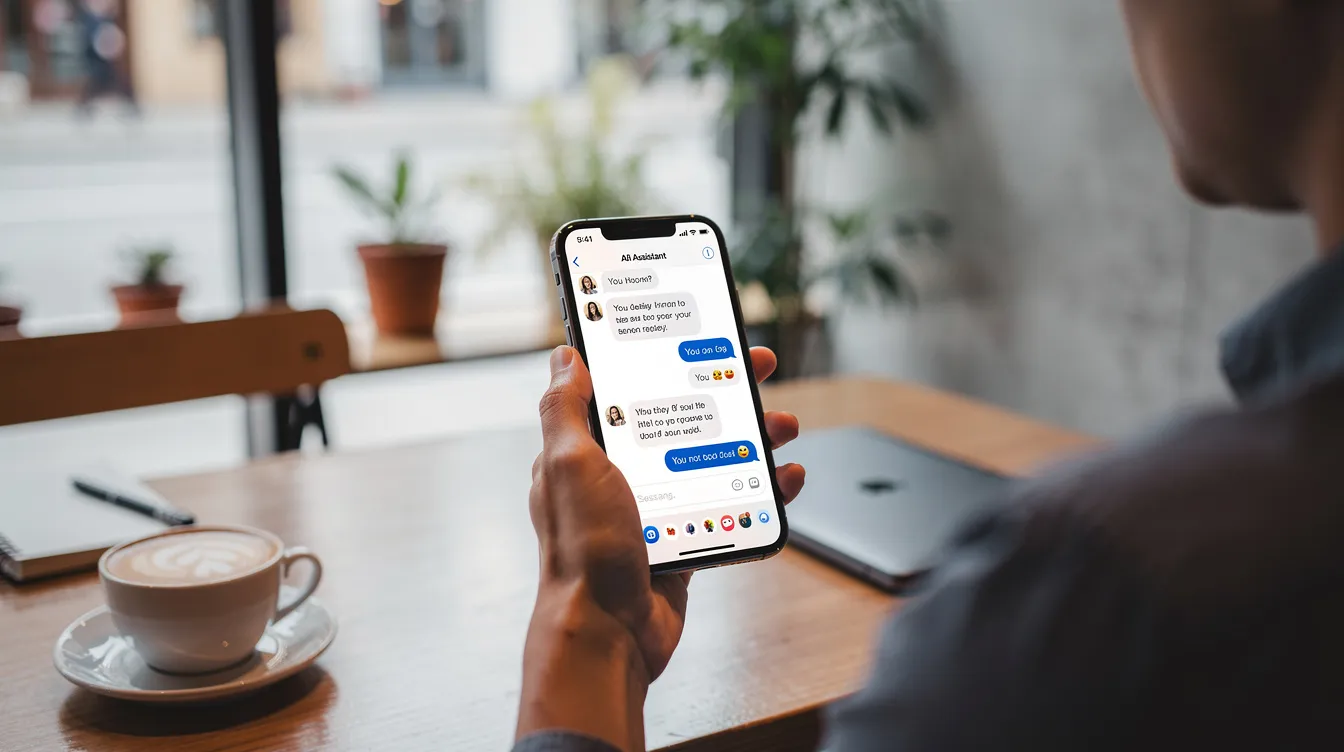
How Do Chatbots Work? From Rules to Generative AI
Between 2015 and 2020, most chatbots were rule-based: rigid decision trees, keyword matching, limited menu choices. Users quickly discovered that unusual phrasing caused breakdowns. From 2023 onward, ai powered chatbots shifted toward hybrid architectures that blend rules, retrieval, and large language models for far more flexible interactions.
Here's the basic pipeline behind how chatbots work:
- Input capture - The user sends a message. The system normalizes it (fixing typos, tokenizing words, converting speech to text for voice bots).
- Intent detection and entity extraction - Models classify what the user wants (the intent) and pull out specific data like dates, amounts, or names. Chatbots analyze intent to determine user goals such as booking or inquiries.
- Response generation - Traditional chatbots follow predefined rules and decision trees, selecting predefined responses from templates. AI chatbots use natural language processing to understand user intent and generate free-form, context-aware replies.
- Action execution - The system may call APIs, update databases, book appointments, or open support tickets.
AI chatbots are not conscious; they process information using mathematical models trained on large text datasets. But the results can feel remarkably conversational. AI chatbots can adapt responses based on previous interactions, maintaining context across multiple turns of dialog.
Consider a concrete example: a user messages "I need to see a dentist next Tuesday in Brooklyn." The bot detects the intent (book_appointment), extracts entities (dentist, next Tuesday, Brooklyn), notices missing information (time, insurance), and asks clarifying questions. Once all details are collected, it checks availability via API, confirms the slot, and sends a confirmation - all in one natural conversation flow.
In production, most serious deployments use hybrid approaches. Rules handle compliance-critical flows like identity verification or legal disclosures. AI models handle the flexible, conversational parts where user queries may arrive in unpredictable phrasing.
Types of Chatbots in 2026
Organizations rarely deploy just one kind of bot. They mix types to balance complexity, risk, and cost.
- Rule-based chatbots guide users through fixed menus and decision trees. Best for FAQs, simple forms, and highly regulated answers where predefined rules guarantee accuracy.
- Conversational chatbots use natural language processing nlp and machine learning to understand free text and support open-ended customer interactions. They handle more variation than scripts allow.
- Generative AI chatbots leverage large language models to compose new chatbot responses dynamically rather than selecting from a fixed library. The result feels like human conversation, though it requires guardrails against hallucination.
- Hybrid chatbots combine rule-based and AI-powered functionalities - scripted flows for critical processes, generative ai for flexible support. This is the default architecture in most serious customer-facing deployments.
- AI agents - some vendors now brand their most advanced chatbots as ai agents when they can take autonomous actions across business systems: processing refunds, scheduling workflows, updating records with minimal human supervision.
AI Chatbots, AI Assistants, and AI Agents: What's the Difference?
Terms like "ai chatbot," "virtual assistant," and "ai agent" get tossed around loosely in marketing. But there are practical distinctions that matter when choosing a solution.
An AI chatbot focuses on conversational interactions around a defined set of tasks - handling customer queries, answering FAQs, performing simple transactions. It's reactive: you ask, it answers.
An AI assistant is broader. Virtual assistants help with multi-step, cross-domain tasks - drafting documents, summarizing data, scheduling meetings, searching multiple systems - using conversational interfaces as the primary interaction layer.
An AI agent is more autonomous. It can plan, coordinate, and execute actions across tools and applications with minimal supervision, handling complex tasks end-to-end.
Business examples make the difference clear:
- A bank's FAQ chatbot answers "What are your hours?" - that's a chatbot.
- An in-app assistant pulls transaction history, suggests a budget, and schedules an advisor call - that's an assistant.
- An AI agent collects loan documents, runs eligibility checks, underwrites, and issues a conditional offer - that's an agent.
In 2026, many AI agents are still supervised. They propose actions and humans approve them, especially in high-risk domains like finance and healthcare. Autonomy is increasing but gated with compliance and governance.
Where Are Chatbots Used? Key Use Cases Across Industries
By 2026, chatbots are standard across customer interactions, internal operations, and public-sector services. Common chatbot use cases include appointment scheduling and order tracking, and the applications keep expanding.
Customer service and support. Customer service bots handle troubleshooting, returns, order status, and account questions across retail, telecom, and utilities. Successful customer service chatbots handle high-volume and repetitive requests, and chatbots are effective for FAQs and basic troubleshooting. NatWest's "Cora+" chatbot saw interactions jump from 21.3 million in 2023 to 245 million in 2024, with a 150% increase in customer satisfaction.
Sales and ecommerce. Product recommendation bots guide the buying process, handle cross-sell and upsell during chat, and recover abandoned carts. Chatbots can assist in lead qualification by collecting initial customer information from potential customers before routing to sales teams.
Banking and fintech. Balance checks, card freezing, simple credit checks, and secure authentication flows are now handled via conversational ai. TruStone Financial's chatbot "Ruth" reduced inbound calls by about 20% after deployment.
Healthcare. Appointment scheduling, pre-visit triage, prescription reminders, and post-op follow-up chats - all with strict data privacy constraints.
Travel and hospitality. Flight changes, hotel bookings, loyalty points, and real-time disruption updates through multiple channels.
Internal employee support. HR policy questions (supporting human resources teams), IT service desk, onboarding journeys, and "how do I…" queries inside large organizations. OCBC Bank's internal chatbot trial helped employees complete tasks about 50% faster.
Conversational AI adoption is also growing in education, government services, and mental health support apps, with extra focus on safety and ethical guardrails.

Business Benefits of AI-Powered Chatbots
AI powered chatbots are no longer experimental. They contribute directly to revenue, cost control, and customer experience metrics. Here are the key advantages.
Improved customer service. Chatbots improve customer satisfaction by reducing wait times. Instant responses from chatbots enhance customer satisfaction, and chatbots provide 24/7 availability for customer interactions. Customers can engage with chatbots anytime, even outside business hours, and chatbots ensure support is available regardless of time zone - delivering improved customer service without scaling headcount.
Increased efficiency and cost savings. Chatbots automate repetitive tasks, increasing operational efficiency. They can automate routine inquiries, freeing human agents for complex tasks and more complex interactions. Automating predictable tasks allows chatbots to improve operational efficiency, and businesses save costs by using chatbots for routine inquiries. One private bank's AI chatbot handles about 1,000,000 queries per month, saving approximately US$1.5 million annually.
Scalability. Chatbots can handle over 1,000 inquiries simultaneously. A single chatbot can handle a high volume of inquiries simultaneously, reducing staffing needs during peak periods without degrading response quality.
Personalized customer experience. Chatbots can provide tailored recommendations based on user data, drawing from chat history, user preferences, and location. Chatbots enhance customer engagement through personalized interactions. AI chatbots can adapt responses based on previous conversations, and personalized experiences lead to higher customer loyalty and satisfaction.
Revenue impact. Conversational chatbots can qualify leads, assist checkout, and recover abandoned carts. Chatbots improve employee productivity by automating simple tasks and routine tasks, letting teams focus on revenue-generating work.
Actionable insights. Analyzing chat transcripts and intent trends uncovers product issues, content gaps, and new service opportunities. Feedback and survey collection can be automated using chatbots post-interaction, creating a continuous improvement loop.
Core Technologies Behind Modern AI Chatbots
You don't need to be an engineer to understand the technology behind advanced chatbots. Here's a high-level look under the hood.
Natural language processing (NLP) and natural language understanding (NLU). These systems help chatbots understand meanings and human language, not just keywords. NLU handles intent classification and entity extraction - figuring out what the user wants and pulling out relevant details from human speech patterns.
Large Language Models (LLMs). Models like GPT-4-class transformers are trained on massive text corpora and can generate coherent, context-aware conversational responses. They power the "generative" in generative ai, producing accurate responses rather than selecting from templates.
Retrieval-Augmented Generation (RAG). Advanced ai chatbots search a company's knowledge base in real time, then use LLMs to answer grounded in those documents. This cuts hallucinations and improves verifiability - critical in finance, health, and legal contexts.
Dialog management. Systems track context across turns, handle clarifications, and decide when to escalate to human agents. This is what makes multi-turn natural conversation possible rather than treating each message as isolated.
Integrations and APIs. Practical customer service chatbot software connects with CRMs, ticketing systems, ecommerce platforms, and authentication providers to complete basic tasks and complex tasks alike.
Analytics and monitoring. Built-in dashboards track intents, resolution rates, CSAT, and identify where conversational flows break down - essential for continuous optimization.
Customer Experience: Designing Conversations That Work
Technology alone doesn't guarantee good customer experience. Conversation design and UX are what separate helpful bots from frustrating ones.
Start by defining clear goals for the chatbot - support deflection, lead capture, sales assist - before designing flows. Every conversational interface should have a well-defined purpose.
Use natural, concise language matched to brand voice. Avoid jargon. Quick and accurate responses matter more than verbose explanations. Include explicit guardrails early: "I'm an AI chatbot. Here's what I can help with" sets expectations and reduces customer frustration.
Best practices for handoff to human agents:
- Set clear triggers: detected frustration, high-value customers, nuanced queries, complex customer issues
- Transfer with full chat history so the customer doesn't repeat themselves
- Provide estimated wait times to reduce gatekeeper aversion
Accessibility matters too: support screen readers, high-contrast design, and simple language for users with varying literacy levels. Ongoing A/B testing of greetings, prompts, and answer styles helps fine-tune user interactions over time.
Implementing an AI Chatbot: Key Steps for Your Organization
Here's a practical roadmap for launching an AI chatbot app in 2026, even for non-technical teams.
Step 1 - Define scope and success metrics. Identify priority use cases (top 20 FAQs, order tracking, appointment scheduling) and set KPIs: containment rate, CSAT, cost per interaction. 58% of customers use chatbots for simple tasks, so start where volume is highest.
Step 2 - Choose the right platform and ai models. Evaluate channels supported, available ai models, data security, and ease of integration. Look for ai chatbot software that connects with your existing tools.
Step 3 - Prepare knowledge sources. Curate help center content, product docs, and policy pages. These form the knowledge base that grounds your chatbot's responses and keeps them accurate.
Step 4 - Design conversational flows. Mix guided paths for critical processes with open-ended conversational ai for flexible support. Handle routine inquiries with automation; route complex customer requests to humans.
Step 5 - Pilot, test, and optimize. Run a limited rollout, collect feedback, review conversation logs. Identify where customers drop off or request human interaction, then iterate.
Step 6 - Scale across channels. Expand from web to mobile apps, messaging apps, social media channels, and internal portals once the core experience is stable. Use communication channels where your customers already spend time.

Risks, Challenges, and Limitations of AI Chatbots
While advanced ai chatbots offer major benefits, they introduce risks that must be actively managed.
Accuracy and hallucinations. Generative AI can produce confident but incorrect answers. Without grounding (like RAG), these fabrications can mislead users. Regular review and confidence scoring are essential.
Complex and emotionally sensitive queries. Chatbots can struggle with nuanced queries and high-stakes customer issues - legal disputes, health crises, billing escalations. Quick escalation paths to human interaction are non-negotiable.
Customer frustration. Research shows between 53% and 77% of customers report frustrating chatbot experiences. Poorly designed bots create hidden costs: lost trust, increased churn, and more load on human agents.
Bias and fairness. Training data may embed social and cultural biases. Organizations need to audit chatbot responses for fairness and inclusivity across languages, dialects, and demographics.
Privacy and security. AI chatbots often process personal data. Risks include leaks, misuse, and compliance gaps with GDPR, CCPA, and similar regulations. On-premises or restricted pipelines may be necessary.
Maintenance. Products change, policies evolve, customer expectations shift. Traditional chatbots and modern chatbots alike need ongoing tuning - this is never a "set it and forget it" deployment.
Environmental and Ethical Considerations
The rapid spread of generative AI chatbots between 2023 and 2026 has raised important sustainability and ethics questions.
LLM-powered chatbots consume more electricity per query than traditional search. Estimates from 2023 suggested a single ChatGPT query used roughly 10× the energy of a Google search. Data centers hosting ai models also require substantial water for cooling, creating local environmental impacts. Practical measures include model optimization, batching requests, and choosing green cloud providers to reduce footprint.
On ethics: organizations should clearly disclose when a user is talking to a virtual agent rather than a human. Robust data governance and policies limiting sensitive use cases - medical diagnosis, legal decisions - without human oversight are essential. Regulators in the EU, US, and UK are actively shaping rules for AI transparency, risk management, and data usage. Organizations should monitor these developments closely.
The Future of Conversational AI and Chatbots
Chatbots evolved from simple scripts in the 2000s to today's advanced conversational AI. What's next looks even more transformative.
Greater autonomy. Gartner predicts that 40% of enterprise applications will include task-specific AI agents by end of 2026, up from under 5% in 2025. These agents will handle multi-step workflows - processing refunds, rescheduling trips - with minimal user input.
Omnichannel intelligence. Customers will expect a single AI chatbot brain that remembers context across web, mobile, email, and messaging platforms, delivering personalized interactions regardless of channel.
Multimodal experiences. Chatbots that process text, voice, images, and documents in one conversation will become standard, supporting customers through verification, troubleshooting, and complex tasks seamlessly.
Deeper personalization. With user consent, AI chatbots will draw from profiles, user preferences, and history to anticipate needs and proactively offer help - moving from reactive to proactive support customers will actually appreciate.
Human–AI collaboration. The most effective setups will pair ai powered chatbots and AI agents with skilled human experts. Artificial intelligence augments rather than fully replaces staff, handling routine inquiries and simple tasks while humans focus on high-value, emotionally nuanced, or strategic work.
The goal isn't to eliminate human like conversations from your support experience. It's to make every conversation - whether with a bot or a person - faster, smarter, and more helpful.

FAQ
Are chatbots only useful for large enterprises, or can small businesses benefit too?
Small and midsize businesses increasingly adopt AI chatbots because cloud tools and prebuilt templates make setup inexpensive and fast. Local retailers use them to answer opening hours and product availability, clinics manage appointment requests, and SaaS startups handle basic onboarding questions. Even deflecting 20–30% of routine inquiries can free up hours per week for a small team and support customers far more responsively.
Do I need developers or data scientists to launch an AI-powered chatbot?
Many modern chatbot platforms offer low-code or no-code builders, allowing non-technical staff to design flows and connect basic systems. Technical expertise becomes more important for advanced integrations - custom CRMs, legacy systems, complex security requirements - but simple deployments can be led by customer support, marketing, or operations teams. Start with a small, clearly scoped project and involve engineering only when moving into deeper workflow automation or sensitive data handling.
How can I measure whether my AI chatbot is actually working?
Key metrics include resolution rate (percent of chats solved without a human), customer satisfaction (CSAT), net promoter score (NPS), response time, and cost per interaction. Compare baseline support metrics from before and after deployment, focusing on ticket volume, handle time, and agent workload changes. Review conversation logs regularly to identify where customers drop off or request human help, and use those insights to refine chatbot behavior. There's a 31-point satisfaction gap between what business leaders believe about their bots and what consumers actually experience - so measuring honestly matters.
Can AI chatbots integrate securely with my existing systems?
Mature platforms typically provide APIs, webhooks, and native connectors for CRMs, help desks, ecommerce platforms, and authentication services. Look for encryption in transit and at rest, role-based access control, audit logs, and options for data residency. Involve security and compliance teams early to validate that the chosen solution meets organizational and regulatory requirements.
What's the difference between deploying a chatbot on my website vs on messaging apps?
Website chatbots capture visitors while they browse, supporting in-session customer questions and tying conversations to on-site behavior. Messaging app bots (WhatsApp, Messenger, SMS) extend support beyond your website, enabling persistent and asynchronous customer interactions. The best approach is an omnichannel platform so the same AI-powered chatbot brain responds consistently across both web and messaging channels, sharing context and chat history seamlessly.
Your Friend,
Wade