



Key Takeaways
- As of early 2026, there is no single winner between Claude and ChatGPT—Claude tends to be better for long form writing, coding, and deep research, while ChatGPT is stronger for multimodal tasks like image generation, video creation, voice mode, and everyday versatility.
- Current models in comparison are Claude Sonnet 4.6 / Opus 4.7 versus ChatGPT GPT-5.3 / GPT-5.4, with both claude and chatgpt now supporting context windows up to approximately 1 million tokens.
- Developers and technical writers often prefer Claude for its code capabilities and detailed explanations; creators, marketers, and general users often lean toward ChatGPT for its advanced features and ecosystem breadth.
- Both platforms offer free tiers and paid plans around $20/month, making it practical for most users to try both ai tools and choose based on actual workflow needs rather than abstract benchmarks.
- Many power users combine chatgpt and claude in their workflows rather than choosing exclusively, using each for its respective strengths.
Claude vs ChatGPT: Quick Answer (Who Is Better in 2026?)
For most users in 2026, ChatGPT with GPT-5.3 or GPT-5.4 is the better all-around assistant. It handles text, images, video via Sora 2, voice mode with real-time camera integration, custom GPTs, web search, and dozens of built-in integrations. If you need one ai model that does a little bit of everything reasonably well, ChatGPT is the safer default choice.
That said, Claude with Sonnet 4.6 or Opus 4.7 is often better for specific high-value tasks. Technical reports that stretch across 50+ pages, coding projects managed through Claude Code, legal and policy drafts requiring factual accuracy, and any work demanding consistent, clear prose over many thousands of words—these are areas where Claude wins repeatedly in head-to-head tests.
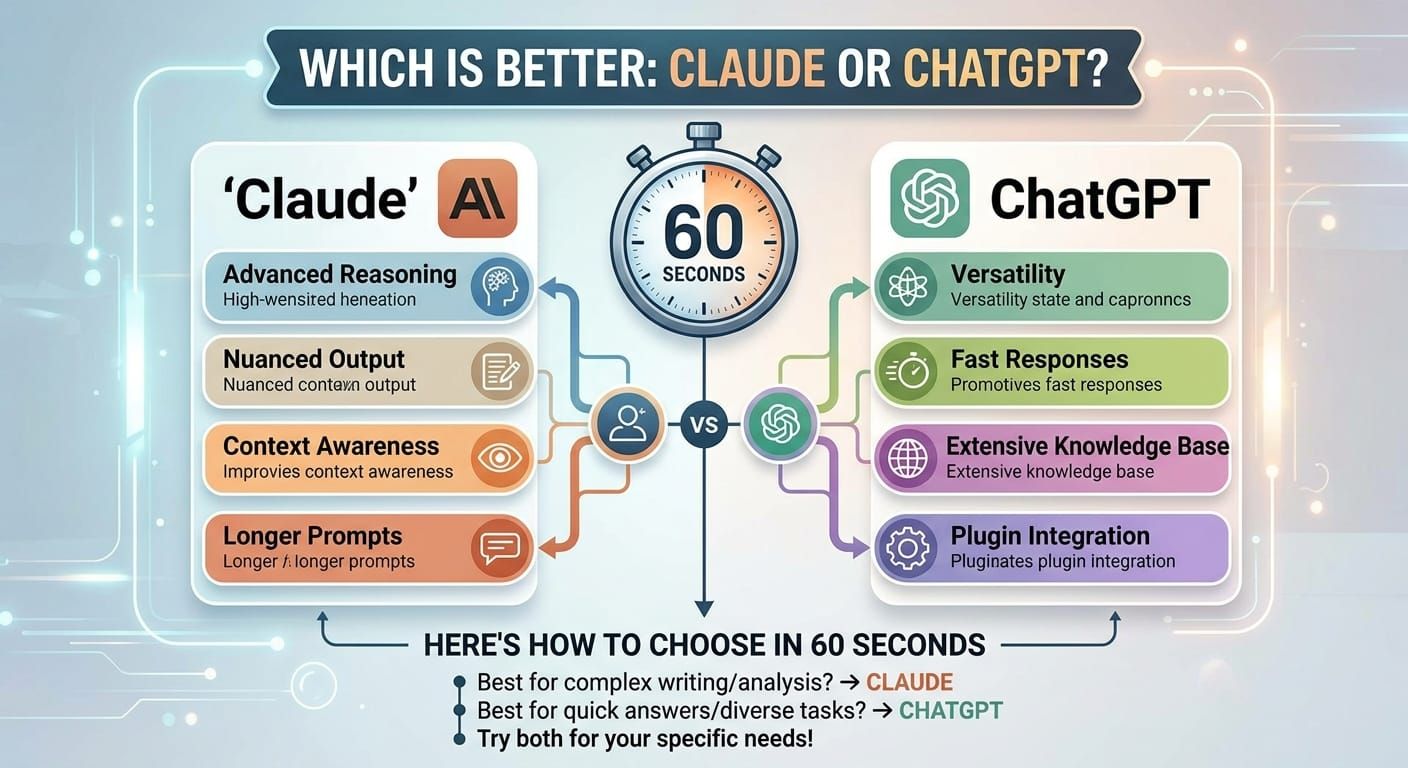
Here’s the simplest way to think about it: Pick Claude if you spend most of your day writing long documents, managing codebases, or doing document analysis where precision matters more than speed. Pick ChatGPT if you regularly need to create images, edit videos, interact via voice, build custom chatbots, or want a single app that handles everyday tasks from trip planning to graphic design.
Serious users—founders, analysts, content writers, developers—will likely get the best results by using both rather than treating this as an either/or decision. The two ai assistants complement each other more than they compete.

Claude vs ChatGPT at a Glance (2026 Snapshot)
This section serves as your cheat sheet for the current state of chatgpt vs claude as of April 2026.
Feature | Claude (Anthropic) | ChatGPT (OpenAI) |
|---|---|---|
Latest Models | Sonnet 4.6, Opus 4.7 | GPT-5.3, GPT-5.4, mini |
Context Window | Up to ~1M tokens | Up to ~1M tokens |
Image Generation | No (analysis only) | Yes (GPT Image 1.5) |
Video Generation | No | Yes (Sora 2) |
Voice Mode | Limited | Advanced with camera |
Coding Tools | Claude Code included | Canvas, browser agents |
Free Tier | Yes (rate-limited) | Yes (message caps) |
Paid Plan | ~$20/month (Pro) | ~$20/month (Plus) |
Key differences in plain language:
- Claude excels at deep research, coding across large repositories, stable long-context performance, and high-quality prose that reads naturally
- ChatGPT leads in images and video generation, voice interaction, custom GPTs marketplace, file uploads with mixed media, and broader language support
- Both claude models and chatgpt models now support massive context windows around 1 million tokens, though practical performance varies
- Claude’s training data emphasizes Constitutional AI principles; ChatGPT relies heavily on RLHF
- For everyday use with mixed needs, ChatGPT offers more convenience; for specialized deep work, Claude often delivers cleaner results
Everyday Tasks: Which Feels Better to Use?
Most people evaluating claude vs chatgpt care less about benchmarks and more about practical questions: Which one writes better emails? Which handles trip planning? Which gives faster responses when I just need a quick answer?
For everyday content like emails, LinkedIn posts, and quick summaries, both perform well in 2026. Testers and reviewers throughout 2025-2026 consistently found Claude Sonnet 4.x slightly more natural in its writing style—less robotic, fewer filler phrases, more human cadence. However, Claude can sometimes feel slower, especially during peak usage periods.
ChatGPT has the edge in convenience for everyday tasks. Built-in tone presets let you switch between professional and casual instantly. Integrations with tools like Canva, Google Drive, and Microsoft 365 mean you can draft content and immediately format it without leaving the interface. The voice mode on mobile is genuinely useful for hands-free queries while commuting or cooking.
Specific everyday use comparisons:
- Drafting a confident email to a manager: Both handle this well, but Claude tends to produce slightly more polished natural language on the first try
- Trip planning with logistics: ChatGPT pulls ahead thanks to web search integration and the ability to generate visual itineraries
- Quick health or nutrition questions: Both are cautious here, but ChatGPT offers more multimedia explanations
- Social media content: ChatGPT can generate images alongside copy; Claude produces cleaner text but requires external tools for visuals
The free tiers differ meaningfully. Free chatgpt has more restrictive message caps and frequent upgrade prompts that interrupt workflow. Free claude offers access to Haiku and rate-limited Sonnet, which feels more generous for casual users but may throttle you unexpectedly during busy periods. Neither free version gives you the full experience—serious evaluation requires at least a month on the paid tiers.
Creative Work and Long-Form Writing
Many professionals now use AI to draft books, blog posts, scripts, marketing campaigns, and technical documentation. This is where the differences between Claude and ChatGPT become most pronounced.
Claude, particularly Sonnet 4.6 and Opus 4.7, has built a strong reputation throughout 2025-2026 for creative writing and long form content. Independent tests consistently show Claude outperforming ChatGPT in several specific areas:
- Describing emotions and nuance without slipping into cliché
- Matching a reference writing style from a sample document you feed claude
- Maintaining consistent voice and tone across 10,000+ words
- Asking clarifying questions when a creative brief is vague rather than making assumptions
In a 2026 essay-writing benchmark testing long-form coherence on a 2,000-word climate analysis, Claude scored 85% on structure versus ChatGPT’s 78%. This gap widens further on longer documents where Claude’s ability to maintain coherence across massive context windows becomes more valuable.
ChatGPT’s GPT-5 series handles long form writing competently, but its output tends toward slightly more neutral or corporate prose out of the box. You can coach it into different styles, but this requires more explicit custom instructions and iteration. For writing tasks where speed matters more than literary polish, ChatGPT remains competitive.
Practical scenario comparison:
- 50,000-word non-fiction book or technical manual: Claude is the preferred choice among technical writing professionals. Upload your outline, research papers, and style guide, then work chapter by chapter with consistent results.
- Marketing campaign with landing page copy, ad variations, and visual concepts: ChatGPT usually wins here because it can generate images, suggest video concepts, and produce bullet points for multiple platforms in one session.
- Poetry and literary fiction: Claude’s nuance makes it stronger for serious creative writing. Write poetry with Claude and you’ll notice it takes more creative risks.
For pure text-only book writing or dense reports, most content writers today lean toward Claude. For creative projects mixing copy, visuals, and video concepts, ChatGPT’s multimodal capabilities provide more value per session.
Coding and Technical Work
AI coding tools evolved dramatically between 2024 and 2026. What was once a novelty is now standard equipment for professional developers. This is also where the competition between Claude and ChatGPT has been most fierce.
Claude Code deserves special attention. By late 2025, it reportedly held over 50% market share in enterprise AI coding tools. Included with Claude Pro at $20/month, Claude Code is a full terminal-based coding agent that can autonomously navigate codebases, execute python code, run tests, and perform multi-file edits. Tools like Cursor built on Claude’s backend report 20-50% faster resolution on real tasks compared to alternatives.
Claude’s code capabilities shine in specific contexts:
- Reading and rewriting long files without losing context
- Generating docstrings, tests, and refactors across many files simultaneously
- Managing entire repositories with natural language instructions
- Fewer “magical but wrong” shortcuts that compile but introduce bugs
- Excellent at explaining complex legacy code when you debug code you didn’t write
The benchmarks support this reputation. On SWE-bench Verified, the most rigorous coding benchmark available, Claude Opus 4.6 scores 80.8% while GPT-5.2 scores approximately 80.0%. The gap is small numerically but translates to more reliable, production-ready code in practice. On standard SWE-bench, the gap is larger: Claude Opus 4.5 achieves 76.8% versus GPT-5 variants at 71-72%.
ChatGPT remains strong for different coding workflows:
- Single-file coding and algorithm help
- Integration with Canvas for visual code editing
- Browser agents that can test web applications
- Mixed tasks like “build this landing page, generate the hero image, then write the backend API”
- Quick prototyping where speed matters more than architectural elegance
Rule of thumb: If you mostly live in VS Code, manage large repos, or care deeply about code quality, Claude and Claude Code often feel better. If you’re a no-code builder, product manager assembling prototypes, or someone who needs to generate assets alongside code, ChatGPT’s ecosystem may be more convenient.
Multimodality: Text vs Images, Video, and Voice
Multimodality means handling text plus images, audio, and video in an integrated way. This is ChatGPT’s primary area of clear superiority as of April 2026.
ChatGPT offers concrete multimodal capabilities that Claude simply doesn’t match yet:
- GPT Image 1.5 lets you generate images and edit them directly inside ChatGPT. Ask for a logo concept, product mockup, or social media graphic and receive it in seconds.
- Sora 2 (launched 2025) enables creating and editing videos from text prompts and image inputs. Video generation that required specialized tools now happens in the same chat window.
- Advanced voice mode supports real-time camera integration. Point your phone at something and ask ChatGPT what you’re looking at—it can interpret your surroundings and respond conversationally.
Claude, as of 2026, supports images and documents for analysis. You can upload diagrams, PDFs, screenshots, and file uploads for Claude to reason about. Claude’s ability to deeply understand visual content is strong, sometimes superior to ChatGPT for analytical tasks. But Claude does not yet offer consumer-grade generative image or video capabilities.
Everyday examples that illustrate the gap:
- Design a LinkedIn headshot: ChatGPT can generate it directly; Claude requires you to use external tools
- Create a slide deck via Canva integration: ChatGPT handles this natively; Claude cannot
- Storyboard a short marketing video: ChatGPT with Sora 2 creates actual video clips; Claude can only write the script
- Annotate a 200-page PDF or analyze complex technical diagrams: Claude often provides clearer, more structured analysis despite lacking generative capabilities
If visuals and voice interaction are central to your workflow—creators, educators, social media managers, graphic design professionals—ChatGPT is usually the better choice. If multimodality is mostly about reading and understanding documents rather than generating new visual content, Claude is often sufficient or even preferable for its analytical depth.
Long-Context Research and Document Analysis
The rise of extended thinking mode and deep research features throughout 2025-2026 transformed how professionals handle large document sets. Both claude and chatgpt now support context windows approaching 1 million tokens, but they differ in how this capability performs in practice.
Claude has built a particularly strong reputation for handling very long prompts. Sonnet 4.6 and Opus 4.7 supporting around 1M tokens means you can combine multiple PDFs, transcripts, code files, and long documents into a single session without significant performance degradation. Users consistently report that Claude’s outputs from large-context research tasks are clearer, more structured, and less verbose than ChatGPT’s equivalents.
Real-world use cases where Claude’s document analysis excels:
- Property transfer research requiring synthesis across hundreds of pages of records
- Regulatory analysis comparing multiple policy documents
- Technical RFC comparison for engineering teams
- Summarizing years of meeting notes into actionable insights
- Analyzing research papers across dozens of academic sources
ChatGPT’s GPT-5.4 also supports very large context windows and offers a powerful deep research mode specifically designed for extended analytical tasks. However, this mode can produce more verbose output that requires editing. The consumer plans also have daily message caps that limit practical utility for heavy research workflows.
Practical guidance: Lawyers, consultants, financial analysts, and researchers who live inside 200-800 page documents typically perceive Claude as better for their workflows. Research that mixes web browsing, PDFs, file analysis, and quick image explanations may favor ChatGPT due to its multimodal breadth—but Claude’s pure document analysis quality often remains superior.

Accuracy, Safety, and Reliability
Both ChatGPT and Claude still hallucinate on critical topics. Neither should replace expert consultation for legal, medical, or financial decisions. That caveat stated, the two platforms approach accuracy and safety differently.
ChatGPT’s approach:
- Heavy reliance on reinforcement learning from human feedback (RLHF)
- Detailed usage policies with consistent enforcement
- Published data showing low hallucination rates on controlled tests (approximately 1-2% on some benchmarks)
- Robust refusal behavior on dangerous queries
- Optimized to be helpful, harmless, and honest
Claude’s Constitutional AI approach:
- Explicit written principles used during training
- Emphasis on politeness, non-manipulative behavior, and alignment with user values
- Often more cautious wording on medical, legal, and financial questions
- More likely to state limitations explicitly rather than offer confident but potentially incorrect advice
- Designed to acknowledge uncertainty rather than confabulate
Independent tests throughout 2025-2026 generally found both similarly accurate on everyday questions. Claude scored slightly ahead on complex multi-step reasoning tasks where factual accuracy over extended chains of logic matters. ChatGPT performed slightly better on fact-dense Q&A and world knowledge retrieval where breadth of training data provides advantages.
Best practices for either platform:
- Ask the ai model to show sources where possible
- Cross-check important facts via search engine or official documents
- Treat both as assistants that help draft and explain, not as final authorities
- For legal, medical, or financial decisions, always consult qualified human professionals
Pricing and Plans in 2026
Pricing changes frequently in the AI space, so treat these figures as indicative ranges based on early 2026 data.
ChatGPT consumer pricing tiers:
Plan | Price | Key Features |
|---|---|---|
Free | $0 | Limited GPT-4.x/5.x access, message caps, basic features |
Go | ~$8/month | Lighter, faster usage, reduced limits |
Plus | ~$20/month | Full GPT-5 access, image generation, most features |
Pro | ~$200/month | Priority access, highest usage limits, professional features |
Claude consumer pricing tiers:
Plan | Price | Key Features |
|---|---|---|
Free | $0 | Haiku access, rate-limited Sonnet, web and mobile |
Pro | ~$20/month | Faster responses, higher usage limits, Claude Code included |
Max/Power | $100-$200/month | Intensive workloads, extended context, enterprise plan features |
Both platforms offer enterprise and team pricing structured around per-seat licensing ($25-$30/user/month) with custom contracts for larger organizations. API pay-as-you-go billing is available through OpenAI directly (and Azure) for ChatGPT, and through Anthropic or AWS Bedrock for Claude.
For API users comparing costs, ChatGPT’s Sonnet tier runs approximately $2.50-$10 per million tokens while Claude’s Sonnet tier costs $3-$15 per million tokens. The difference is marginal for most use cases.
Bottom line: At the individual level, budget is rarely the deciding factor. Both main paid plans cost approximately $20/month. Your choice should depend on features and workflow fit, not price. Many professionals maintain subscriptions to both, viewing the combined $40/month as excellent value for complementary capabilities.
Ecosystem, Integrations, and Customization
The question of “which is better” extends beyond the ai model itself to the tools and ecosystem surrounding it.
ChatGPT’s ecosystem strengths:
- Custom GPTs for building personal or team bots without coding
- Marketplace of third-party GPTs created by other users and companies
- Integrations with Canva, Google Drive, Microsoft 365, and hundreds of SaaS platforms
- Browser agents and automation tools for web-based tasks
- Admin controls for team and enterprise deployments
- Audio recording and transcription capabilities
Claude’s ecosystem:
- Focus on safe, enterprise-friendly integrations with productivity suites, CRMs, and meeting tools
- Claude Code and Claude Cowork for coding and local file workflows
- Strong presence via APIs on AWS Bedrock and other cloud providers
- More minimal consumer interface but deeper integration capabilities for technical users
- Emphasis on privacy and data handling for regulated industries
Both Claude and ChatGPT integrate with Zapier, Make, and similar automation platforms. This enables workflows like automated email drafting, survey analysis, and social posting without manual copy-paste between applications.
Simple guidance: Choose ChatGPT if you want a broad “app store” around your ai agent with maximum convenience. Choose Claude if you value a more minimal interface but plan to integrate it deeply into a few core tools—especially if those tools involve code or long document analysis.
So, Which Should You Choose?
There is no universal winner between Claude and ChatGPT. Use case and personal preference dominate the decision.
Choose Claude if you are:
- A developer managing large repositories who needs reliable code generation
- A technical writer producing documentation, manuals, or specifications
- An analyst or consultant working with long documents requiring synthesis
- A lawyer or policy professional drafting precise, careful text
- A researcher analyzing extensive document sets or research papers
- Someone who values clean prose and dislikes verbose, corporate-sounding AI output
Choose ChatGPT if you are:
- A creator who needs to generate images, edit videos, or work with voice
- A marketer producing campaigns with mixed copy and visual assets
- A teacher or educator using multimedia for instruction
- A general user who wants one Swiss-army-knife app for everyday tasks
- A product person assembling prototypes quickly with visuals and code
- Someone who values ecosystem breadth and third-party integrations
Suggested experiment: For the next 1-2 weeks, use Claude for all long-form writing and code tasks. Use ChatGPT for all creative, visual, and quick Q&A tasks. Track which conversations you naturally return to and which produce results you actually use. That data matters more than any benchmark.
Don’t treat this as a permanent either/or decision. Both platforms release significant updates every few months. Features that exist today may improve or disappear. The right tool for your workflow in April 2026 may not be the right tool by October 2026. Revisiting this comparison periodically makes sense for anyone who depends on AI tools professionally.

FAQ
These FAQs address practical questions not fully covered in the main comparison above.
Is Claude safer than ChatGPT?
Both are designed to be safe but approach alignment differently. ChatGPT relies heavily on RLHF and detailed usage policies, producing robust refusal behavior on dangerous queries. Claude uses Constitutional AI with explicit written principles, often resulting in more cautious, “better safe than sorry” responses on sensitive topics. In practice, Claude may decline to answer or add more qualifications on medical, legal, or financial questions. Neither should replace qualified professionals for consequential decisions—treat both as assistants that help draft and explain rather than as final authorities.
Can I use Claude and ChatGPT together in the same workflow?
Many professionals do exactly this. A common pattern involves using Claude to analyze long PDFs or codebases, then passing summarized outputs to ChatGPT to generate visuals, slide decks, or social content. Tools like Zapier, Make, or custom scripts can orchestrate both APIs in a single pipeline even though they’re separate products. Tested chatgpt and Claude combinations often produce better results than committing exclusively to either platform. The models’ complementary strengths make combined workflows more powerful than single-tool approaches.
Which is better for learning new skills, Claude or ChatGPT?
Both can tutor effectively, but their strengths differ. ChatGPT’s multimodal features—images, video explanations, voice interaction—make it particularly strong for language learning, mathematics with visual components, and subjects where seeing concepts matters. Claude excels at deep conceptual explanations, step-by-step derivations, and Socratic-style questioning when learning programming, theoretical subjects, or anything requiring extended reasoning. Try the same learning prompt in both and choose the teaching style that resonates more with how you personally absorb information.
Which AI should a small business start with?
If your business needs marketing assets, social content, and visuals, ChatGPT is usually the more practical first choice. Image generation, video capabilities, and integrations with design tools provide immediate value for customer-facing content creation. If your business deals primarily with contracts, policies, long proposals, or technical documentation, Claude may deliver clearer, more reliable drafts with better factual accuracy. At $20/month each, many small teams trial both for a month to determine which drives more revenue or time savings for their specific needs.
Will switching from ChatGPT to Claude (or vice versa) break my existing documents and chats?
No. Chats are stored separately by each platform, so past conversations don’t transfer automatically when you switch or add a second tool. You can export important prompts, system instructions, style guides, and custom instructions from one platform and paste or upload them into the other without issues. Experimenting with a second AI doesn’t delete or change your history in the first platform. Both services maintain independent conversation histories, so there’s no risk to your existing work when trying alternatives.
Your Friend,
Wade